NVIDIA DGX Explained: Architecture, Components & AI Infrastructure
A practical guide to NVIDIA DGX systems, GPU architecture, NVLink, NVSwitch, AI software, DGX Spark, HGX and scalable AI infrastructure.
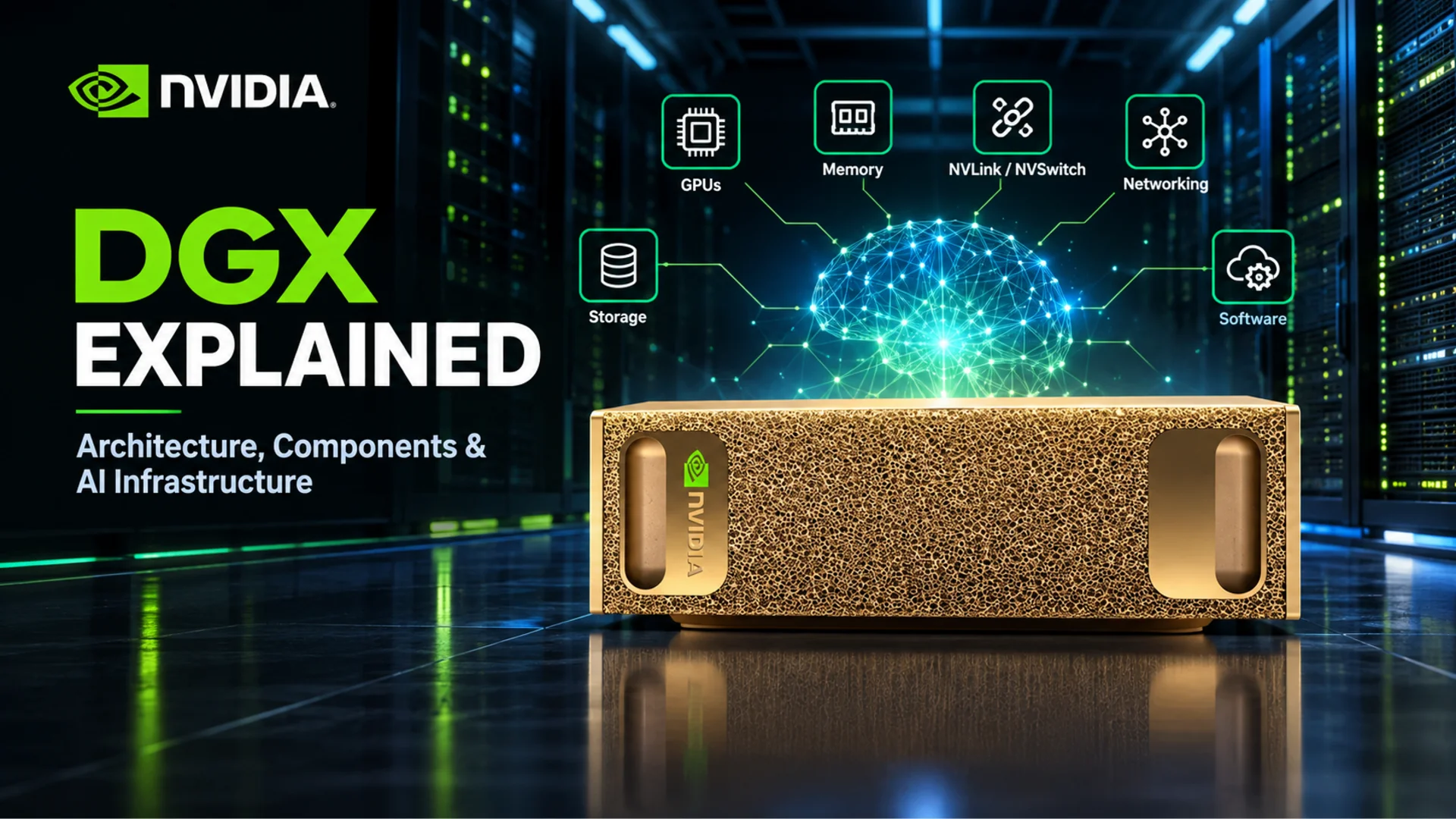
NVIDIA DGX is a family of purpose-built AI systems and reference architectures that combines accelerated compute, high-bandwidth memory, fast GPU interconnects, networking, storage, software and management into one validated platform. It is designed for demanding artificial intelligence workloads—from local model development to multi-node training and inference—not simply as a server with powerful GPUs installed.
This guide explains NVIDIA DGX architecture in practical terms: what each component does, why NVLink and NVSwitch matter, how DGX differs from HGX and a professional workstation, and how to decide which class of AI hardware fits your workload in the UAE.
In this guide
- What NVIDIA DGX is
- How DGX architecture works
- NVLink, NVSwitch and networking
- The NVIDIA AI software stack
- Training, fine-tuning and inference
- DGX vs HGX vs an AI workstation
- DGX Spark and desktop AI
- BasePOD, SuperPOD and AI factories
- How to specify an AI system
- Frequently asked questions
What is NVIDIA DGX?
NVIDIA DGX is NVIDIA's integrated platform for building and operating AI infrastructure. The DGX family spans compact desktop systems, multi-GPU data-centre systems and validated cluster designs. Although the scale changes, the design principle remains consistent: treat compute, memory, communication, software, cooling and management as parts of one system.
That system-level approach matters because an AI workload can be limited by more than raw GPU speed. A model may not fit in accelerator memory. GPUs may wait for each other to exchange tensors. Storage may not feed training data quickly enough. Servers may lose time synchronising over the network. Software may fail to use the hardware efficiently. DGX systems are engineered to reduce those mismatches.
The central idea: DGX is not about placing the biggest GPU in a computer. It is about keeping the whole AI pipeline—compute, memory, interconnect, networking, storage and software—working together efficiently.
NVIDIA describes the DGX platform as a unified enterprise AI solution that brings its infrastructure and software together. Current products and specifications change over time, so system selection should always begin with the workload rather than one headline performance number. This guide was technically reviewed against NVIDIA documentation in October 2026.
NVIDIA DGX architecture explained
A DGX environment can be understood as eight connected layers. Each one removes a different bottleneck.
1. GPUs: the main AI compute engines
GPUs perform the large parallel mathematical operations behind neural-network training and inference. Modern NVIDIA data-centre GPUs include Tensor Cores and support numerical formats designed to accelerate AI calculations. The useful result depends on the model, precision, software and utilisation—not only a theoretical operations-per-second figure.
A single GPU can handle many development and inference workloads. Larger models, larger batches, more concurrent users or faster training targets may require multiple accelerators.
2. Accelerator memory: where the active model lives
GPU memory holds model parameters, activations, attention caches, gradients and working data. Capacity determines whether a workload can fit; bandwidth influences how quickly the GPU can access that data. This is why comparing AI systems by VRAM alone is incomplete.
- Training usually needs memory for parameters, activations, gradients and optimizer states.
- Inference needs memory for model weights and runtime data such as the key-value cache.
- Fine-tuning can vary widely: parameter-efficient methods may use far less memory than full-model training.
Quantisation, offloading and parallelism can reduce or redistribute memory needs, but each introduces trade-offs in quality, speed or complexity.
3. CPU and system memory: feeding and coordinating the accelerators
The CPU still matters in a GPU-focused AI system. It handles operating-system work, preprocessing, orchestration, networking, storage tasks and workloads that remain CPU-bound. System RAM supports datasets, caching, data preparation and CPU-side portions of the pipeline.
A weak host platform can leave expensive accelerators waiting. The correct balance depends on whether the system is mainly serving models, preparing data, training, simulating, compiling or running mixed workloads.
4. Storage: keeping the data pipeline moving
AI projects can produce large datasets, model checkpoints, embeddings, logs and experiment artifacts. Storage planning therefore covers more than total capacity:
- sequential and random throughput;
- metadata performance for many small files;
- local scratch space versus shared storage;
- checkpoint write speed and recovery;
- data protection, backup and retention.
When storage cannot deliver data fast enough, GPU utilisation falls even if the accelerators themselves are powerful.
5. Networking: the fabric between systems
Inside one server, accelerators need fast local communication. Across servers, the cluster needs a low-latency, high-throughput network for distributed training, inference and storage traffic. These are related but different problems.
At cluster scale, network topology, congestion control, RDMA support, switch capacity and storage traffic design can determine how well additional nodes translate into useful performance. “More GPUs” does not guarantee linear scaling.
6. Power, cooling and serviceability
Sustained AI workloads can keep accelerators active for long periods. Power delivery, airflow, cooling capacity, rack density, redundancy and maintenance access are therefore part of the architecture. Desktop AI systems and data-centre appliances have very different site requirements; both should be assessed before purchase.
Why NVLink and NVSwitch matter
Multi-GPU AI requires constant data movement. If communication cannot keep pace with computation, accelerators spend time waiting instead of processing.
NVLink
NVIDIA NVLink is a high-bandwidth interconnect for compatible NVIDIA processors and GPUs. It allows supported devices to exchange data more directly and at higher bandwidth than a design that depends only on standard PCIe paths. The exact topology and bandwidth depend on the system generation.
NVLink is especially relevant when a model or training job is distributed across several GPUs. It does not automatically combine every GPU's memory into one simple pool for all software; the framework and parallelisation strategy still have to divide and coordinate the workload.
NVSwitch
NVSwitch provides switching for an NVLink fabric, enabling dense, high-bandwidth GPU-to-GPU connectivity in supported multi-GPU systems. Instead of treating each connection as an isolated pair, the fabric helps multiple accelerators communicate as a more tightly connected group.
This can reduce communication bottlenecks in workloads with frequent collective operations, tensor exchange or shared model layers. The benefit is workload-dependent: a task that fits comfortably on one GPU may gain little from a complex fabric.
Inter-node networking
NVLink and NVSwitch primarily address communication within a supported system or tightly coupled compute domain. When a workload spans multiple servers, technologies such as NVIDIA InfiniBand or Spectrum-X Ethernet carry traffic between nodes. Distributed AI design therefore has two communication layers:
- GPU fabric inside the node for accelerator-to-accelerator exchange.
- Cluster fabric between nodes for distributed jobs, storage and management.
Both must be sized for the intended model, number of nodes and parallelism method.
The software layer is part of DGX
Hardware alone does not make an AI platform. DGX systems are built around an NVIDIA software environment that can include the operating system, drivers, CUDA libraries, containers, frameworks, model-serving tools and cluster management. The exact entitlement and stack depend on the product and support agreement.
A mature stack helps teams reproduce environments, monitor systems, schedule jobs and move from experimentation to deployment. It also reduces the work required to align driver, framework and library versions across a cluster.
- CUDA and accelerated libraries expose GPU compute to frameworks and applications.
- Containers make tested software environments easier to reproduce.
- Framework optimisations improve training and inference on supported hardware.
- Model serving and microservices help deploy production inference.
- Cluster management allocates resources, monitors health and coordinates jobs.
This full-stack integration is one of the main differences between a validated AI platform and a collection of individually fast components.
How DGX supports training, fine-tuning and inference
Training
Training updates model parameters from data. It can require high compute throughput, substantial accelerator memory, fast data delivery and frequent communication between GPUs. Distributed training may divide the data, the model or both across accelerators.
Fine-tuning
Fine-tuning adapts a model to a domain or task. Full fine-tuning can resemble training in its infrastructure needs, while parameter-efficient techniques can reduce memory and compute demand. The correct system depends on model size, method, dataset and required turnaround time.
Inference
Inference uses a trained model to produce outputs. Infrastructure priorities can shift toward latency, throughput, concurrency, reliability and cost per request. Long context windows and many simultaneous users can increase memory pressure even when no training occurs.
RAG and data pipelines
Retrieval-augmented generation adds document ingestion, embedding, vector search and data governance to the model-serving pipeline. Some stages may use GPUs while others depend on CPU, RAM, network and storage. A balanced architecture matters more than a single specification.
Parallelism for large models
| Method | What is divided | Why it is used |
|---|---|---|
| Data parallelism | Training samples | Each GPU processes different data while model updates are synchronised. |
| Tensor parallelism | Operations within model layers | Helps one large layer run across multiple accelerators. |
| Pipeline parallelism | Groups of model layers | Moves batches through stages hosted on different accelerators. |
| Expert parallelism | Mixture-of-experts modules | Distributes selected experts while routing tokens between them. |
Every method creates a communication pattern. The best topology is the one that matches that pattern with the least idle time and operational complexity.
DGX vs HGX vs an AI workstation
| Platform | What it is | Best fit |
|---|---|---|
| NVIDIA DGX | A complete NVIDIA-branded AI system or validated infrastructure platform with integrated hardware and software. | Organizations that value a purpose-built, supported platform for demanding AI development and deployment. |
| NVIDIA HGX | An NVIDIA accelerated-computing platform used by server manufacturers as a foundation for multi-GPU systems. | Enterprises buying an OEM server design based on NVIDIA's accelerator platform. |
| Professional AI workstation | A configurable desktop or tower using one or more professional or data-centre-class GPUs, depending on design. | Local development, visual computing, prototyping, inference and workloads that fit workstation power, cooling and memory limits. |
| Gaming PC | A consumer desktop optimised primarily for gaming and general use. | Learning, experimentation and smaller local models where enterprise support and continuous operation are not required. |
DGX and HGX are related, but they are not interchangeable names. HGX is a platform used inside systems from NVIDIA partners; DGX refers to NVIDIA's complete systems and broader integrated platform. Likewise, a powerful workstation can be the right AI tool without becoming “DGX-compatible.” That phrase should be checked carefully: compatibility with CUDA software is not the same as being a DGX system.
For UAE teams that need flexible desktop deployment, browse our professional workstation range. For the NVIDIA DGX family, availability and current configurations are listed in the DGX Pod workstation collection.
Where NVIDIA DGX Spark fits
NVIDIA DGX Spark brings the DGX concept to a compact desktop form. It is based on the NVIDIA GB10 Grace Blackwell Superchip and uses 128 GB of coherent unified system memory, allowing the CPU and GPU to work from a shared memory pool rather than relying only on discrete GPU memory. NVIDIA lists up to 273 GB/s memory bandwidth for the 128 GB DGX Spark configuration; product variants can change, so check the current specification before ordering.
That design makes DGX Spark relevant for developers, researchers and data scientists who want to develop, fine-tune or run substantial models locally before moving workloads to larger infrastructure. It is not a rack-scale DGX replacement, and it should not be evaluated as a gaming PC. NVIDIA positions one 128 GB unit for AI models up to 200 billion parameters and two linked units for models up to 405 billion parameters; practical capacity and speed still depend on precision, runtime and model architecture.
The practical questions are model size, precision, context length, concurrency and software support. A model's parameter count alone does not determine whether it will run well. Quantisation and runtime overhead can change the memory requirement significantly.
See the NVIDIA DGX Spark specifications and latest UAE pricing. Because supply and pricing can move quickly, this fixed-configuration system is confirmed through WhatsApp rather than online checkout.
From one DGX system to BasePOD, SuperPOD and an AI factory
AI infrastructure grows in layers:
- AI workstation: local development and inference on one desktop system.
- AI server: one data-centre system with multiple accelerators and enterprise networking.
- DGX system: an integrated NVIDIA AI platform designed around accelerator, memory and communication performance.
- DGX BasePOD: a validated reference architecture for combining DGX systems with networking, storage and software.
- DGX SuperPOD: large-scale, full-stack infrastructure for demanding training and inference.
BasePOD is an architecture, not simply a product count. It gives enterprises a validated foundation for scaling infrastructure. SuperPOD extends the approach into a turnkey AI supercomputing platform in which compute, storage, networking, software and management are designed together.
“AI factory” describes the wider production environment that turns data into trained, deployed and continuously improved AI services. The useful output is not raw compute—it is reliable models and inference delivered at the required speed, quality and cost.
How to specify the right AI system
Start with the workload and work backward to the hardware. These ten questions expose the important constraints:
- Which model or application will run? Record architecture, parameter count and supported precision.
- Is the job training, fine-tuning or inference? Each creates different memory and communication demands.
- How much accelerator memory is required? Include runtime overhead, activations or cache—not only model weights.
- How quickly must results arrive? Define latency, throughput or training-time targets.
- How many people or services will use it? Concurrency can change the design substantially.
- Does the workload need multiple GPUs? If so, understand its communication pattern and software support.
- Will it scale across servers? Inter-node networking then becomes a core design decision.
- How much and what kind of storage is required? Include datasets, checkpoints, scratch space and backup.
- Where will it operate? Check power, cooling, noise, rack space and support access.
- What growth is expected? Plan for larger models, more users and new deployment requirements.
A proper comparison should include memory capacity and bandwidth, compute precision, interconnect topology, network, CPU, RAM, storage, software support, power, cooling and service. The highest specification is not automatically the best system; the best architecture is the one that meets the workload reliably without paying for resources that remain idle.
Buying NVIDIA AI hardware in the UAE
Local deployment also involves lead time, regional warranty, installation, VAT documentation, power and cooling suitability, and access to support. A compact desktop system can often be installed like a workstation; a dense multi-GPU server may require data-centre planning before it arrives.
CustomRigs UAE helps customers scope professional AI workstations and DGX-related systems around the model, workload and operating environment. Browse NVIDIA DGX systems in the UAE or request an AI workstation quote with your model size, software stack and target workload.
Frequently asked questions about NVIDIA DGX
What does NVIDIA DGX mean?
NVIDIA DGX is a family of purpose-built AI systems and infrastructure architectures that integrates accelerated compute, memory, interconnects, networking, storage, software and management.
Is DGX just a GPU?
No. GPUs are the main compute engines, but a DGX system also includes CPUs, memory, high-speed communication, storage interfaces, networking, software, cooling, power and management.
Why does DGX use multiple GPUs?
Large models and demanding training or inference workloads may require more compute or memory than one accelerator provides. Multiple GPUs let frameworks distribute work, provided the software and interconnect can coordinate them efficiently.
What is NVLink used for?
NVLink provides high-bandwidth communication between supported NVIDIA processors and GPUs. It is valuable when a workload needs frequent accelerator-to-accelerator data exchange.
What is NVSwitch?
NVSwitch is switching technology for an NVLink fabric. In supported systems it connects multiple GPUs with dense, high-bandwidth paths rather than limiting communication to isolated pairs.
Is DGX the same as HGX?
No. DGX is a complete NVIDIA system and integrated platform. HGX is a foundational NVIDIA accelerated-computing platform used by system manufacturers in their own servers.
Is DGX suitable for gaming?
DGX is designed for AI and enterprise computing. A gaming PC is usually a more suitable and cost-effective platform for games.
Do I need DGX to run an LLM?
Not necessarily. Many models can run on consumer GPUs, professional workstations or compact systems. DGX becomes more relevant as model size, training demand, concurrency, reliability and scale increase.
Can DGX be used for inference?
Yes. DGX infrastructure supports inference as well as model development, training and fine-tuning. The ideal configuration depends on latency, throughput, model size and user concurrency.
Does more GPU memory always mean better AI performance?
No. Capacity is essential for fitting the workload, but memory bandwidth, compute, precision support, interconnects, software and the workload itself all affect performance.
What is DGX Spark?
DGX Spark is a compact desktop AI system based on NVIDIA Grace Blackwell technology. It is designed for local AI development and inference using a unified-memory architecture.
How do I know whether I need a DGX system?
Define the model, memory requirement, training or inference method, user count, performance target, storage, networking and growth plan. If a workstation cannot meet those needs reliably, a DGX-class or cluster architecture may be appropriate.
Official NVIDIA references
- NVIDIA DGX Platform overview
- NVIDIA DGX BasePOD
- NVIDIA DGX SuperPOD
- NVIDIA DGX Spark
- NVIDIA NVLink
- DGX Spark hardware documentation
- NVIDIA HGX Platform
Final perspective
AI computing is moving from isolated accelerators toward complete, interconnected infrastructure. NVIDIA DGX is one of the clearest examples of that change.
The right question is not simply “Which GPU should I buy?” It is: Which architecture will run this workload efficiently, reliably and at the scale we need? Answer that first, and the appropriate mix of compute, memory, interconnect, networking, storage and software becomes much clearer.
Request a free WhatsApp quote or browse all our builds.